0. 서론
현재 freestyle project 의 빌드 후 조치 항목에서 notify.events 로 알림을 보내고 있다.
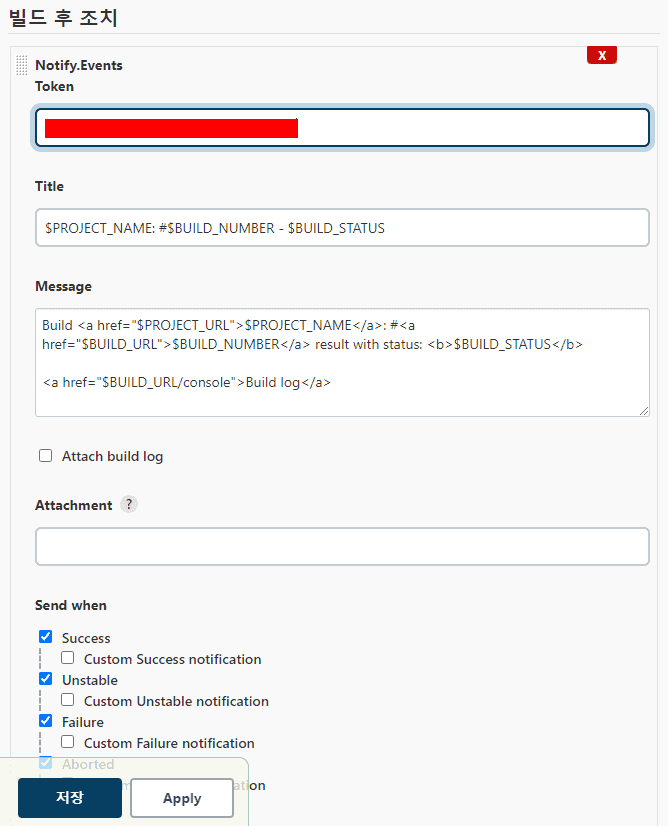
이것과 동일한 알림을 파이프라인에서 보내도록 하기 위해 찾아봤다.
1. post 사용하기
아래 예제처럼 stages 블록 뒤 post 블록을 추가하여 원하는 step 이 실행되도록 설정해준다
pipeline {
    agent any
    tools {
        git "git"
    }
    stages {
        stage('prepare') {
            steps {
                git branch: "ci-cd-settings", url: 'https://github.com/ohyunkyo/inventory-manage-back.git'
            }
        }
        stage('test') {
            steps {
                sh "pip install -r requirements.txt"
                sh "python3 manage.py makemigrations --settings=config.settings.prod"
                sh "python3 manage.py migrate --settings=config.settings.prod"
                sh "python3 manage.py test --settings=config.settings.prod"
            }
        }
        stage('deploy') {
            steps([$class: 'BapSshPromotionPublisherPlugin']) {
                sshPublisher(
                    continueOnError: false, failOnError: true,
                    publishers: [
                        sshPublisherDesc(
                            configName: "inventory backend",
                            verbose: true,
                            transfers: [
                                sshTransfer(
                                    sourceFiles: "**",
                                    removePrefix: "",
                                    remoteDirectory: "deploys",
                                    execCommand:"cd /home/ec2-user/deploys/; \
                                    sudo docker-compose up -d; "
                                )
                            ]
                        )
                    ]
                )
            }
        }
    }
    post {
        always {
    	    notifyEvents (
    	        token: "notify.event token",
    	        message: "<a href='${env.JOB_URL}'>${env.JOB_NAME}</a>: #<a href='${env.BUILD_URL}'>${env.BUILD_NUMBER}</a> 에 대한 결과: <b>${currentBuild.result}</b><br/><br/><a href='${env.BUILD_URL}console'>console log</a>"
    	    )
        }
    }
}
2. 빌드 실행 후 알림 확인하기
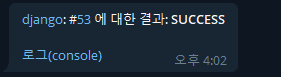
이제 빌드를 실행하면 모든 stage 의 작업이 끝나고 난 후 결과를 텔레그램으로 받을 수 있다.
99. 끝나고 나서
각 위치에서 변수를 사용하는 방법이 모두 달랐다.
notifyEvents 스탭에서 사용하는 변수 명에 대한 정보를 찾을수가 없어서 조금 애를 먹었다.
결국엔 원하는 정보를 얻긴 했지만 전체 변수에 대한 설명이 있는 페이지가 있었으면 좋았을것 같다.(있는데 못찾은걸수도 있음)
2022-06-14 : https://www.jenkins.io/doc/book/pipeline/getting-started/#global-variable-reference
References
https://medium.com/@gustavo.guss/how-to-do-post-build-in-jenkins-pipeline-d1e7233909b8
https://www.jenkins.io/doc/pipeline/tour/post/